




Unfortunately, many people struggle to create presentations. They spend too much time testing fonts, colors, and layouts. In addition, using generic themes isn't enough anymore, so they have to figure out how to incorporate their brand across all decks.
Fortunately, there's a way to simplify things — AI-powered presentation makers.
These tools provide a fully designed deck complete with your branding. All you have to do is focus on your content and message.
In this article, we looked at the best AI presentation design tools available today. As AI-powered tools, they aren't only evaluated based on their design quality, branding features, and value for money but also for their AI generation capabilities, like how fast they generate complete decks and how much design work they handle.
1. Flonnect AI Presentation Maker - Create AI Presentations Faster in 2026
.webp)
Flonnect AI Presentation Maker helps you create clear, structured presentations in minutes using AI. It’s designed for marketers, startups, educators, and teams who want ready-to-use slide content without spending hours writing or designing.
Just enter a topic or prompt, and Flonnect generates a complete presentation with slide flow, key points, and messaging. It works well for pitch decks, product demos, training, and tutorials.
The tool focuses more on content + structure rather than just design, making it useful for real-world presentations that need clarity and impact.
Key Features
- AI presentation generation: Create full slide decks from a simple prompt.
- Structured slide flow: Get clear, logical content for each slide.
- Easy editing: Customize content quickly without design skills.
- Use-case focused: Great for demos, pitches, training, and tutorials.
- Quick sharing: Export or use instantly for meetings and presentations.
Pricing
Free Plan ($0):
Basic access with limited usage, including video creation and storage.
Pro Plan ($12/month):
For individuals with higher limits, AI credits, and more storage.
Business Plan ($20/month):
Advanced AI features, higher limits, and more generation capacity.
Team Plan ($32/user/month):
Collaboration features, shared workspace, admin controls, and high usage limits.
Enterprise Plan:
Custom pricing for large organizations with dedicated support and integrations.
2. Design.com
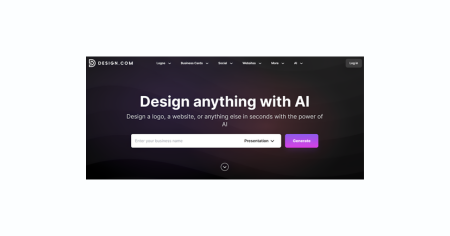
Design.com AI Presentation Maker is one of the platform's over 50 branding tools. It helps small businesses, startups, and entrepreneurs instantly create polished presentations consistent with their branding.
With just your business name and a short description, the AI Presentation Maker can generate multiple tailored templates with complete slide decks from its massive design library. Each design is professionally made by real designers worldwide.
Here we have the first couple of slides for a cybersecurity startup called “Secure Shield”:


Without even saying much, Design.com's presentation maker gave us a usable 6-page template well-suited for our industry. Using the platform's intuitive drag-and-drop editor, you can adjust the fonts, colors, layouts, and other elements with no design skills required.
For consistent branding, Design.com automatically integrates your logo and brand colors across all the slides. Just upload your existing logo once, and the platform will handle the rest.
When you're done customizing and filling your presentation with your content, you can now download it to your device. No other tool on this list offers the kind of export flexibility Design.com does.
Design.com is widely known as a top logo maker, but it's also recognized as the best AI design tool in 2026 for its comprehensive branding ecosystem.
Key Features:
AI-generated presentation designs: Generate multiple presentation decks with just your business name and description.
Massive design library: Avoid generic templates with the platform's collection of professionally-made presentation designs.
Automatic brand integration: Apply your logo and brand colors seamlessly by uploading your existing logo.
Easy-to-use customization tool: Personalize your decks by changing the colors, texts, layouts, and other design elements with no design skills required.
Multiple export formats available: Download your finished presentation as PPTX, Google Slides, PNG, JPG, SVG, EPS, or PDF.
Safe for commercial use: All logos, presentations, and assets made inside Design.com are checked for originality to avoid copyright issues.
Pricing:
Free: Design.com allows you to generate, browse, customize, and download select presentations complete with full brand integration using free designs.
Premium Plan: For $9/month, it unlocks access to premium presentation designs and other branding tools.
Premium Plan + Website: For $14/month, you get everything from the Premium Plan plus full access to the Website Builder.
3. BrandCrowd
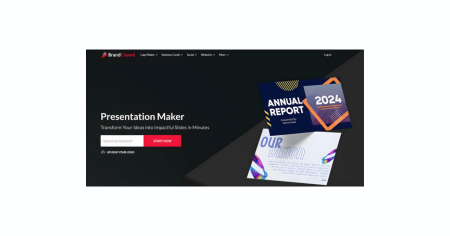
BrandCrowd's Presentation Maker is one of the platform's branding tools built for anyone looking for fast and easy, high-quality presentations. It takes pride in its extensive library of designs, including designer-created presentation templates. As a complete branding platform, it also automatically integrates your logo and brand colors across all slides for consistent branding.
To start creating, you need to provide your business name and keywords, and the AI will pull up all designs relevant to your search. Browse through the results, customize your chosen template, and download the finished output. Unfortunately, unlike Design.com, BrandCrowd presentations can only be exported in high-resolution (JPG and PNG) and vector (SVG, EPS, and PDF) formats.
Here's the first slide of a BrandCrowd-generated presentation as an example:

When you pick a slide to customize on BrandCrowd, you already have 6 pages worth of pre-designed templates. You also have the option of adding more slides as necessary.
Pricing:
Free: Create presentations using free templates and complete with full brand integration.
Paid plans: From $9 per month, access premium designs and other BrandCrowd tools.
4. Canva
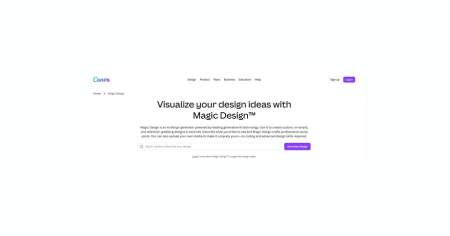
For the past decade, Canva has been the go-to design platform for a wide range of marketing materials. It includes a powerful AI feature called Magic Design, which generates complete slide decks from your text prompt. It's suitable for users who rely on the platform for most of their branding work.
Here's one of Canva's presentation decks:

When you've completed your presentation, you can download it as a PDF file or share it via a link. Canva also provides PPTX files, but a subscription is required. Another feature that requires a Pro plan upgrade is Canva's Brand Kit, which is the platform's automatic integration feature.
Pricing:
Free: Create presentations with basic templates and 10 Magic Design uses.
Paid plans: Starting at $14.99 per month.
5. Adobe Express
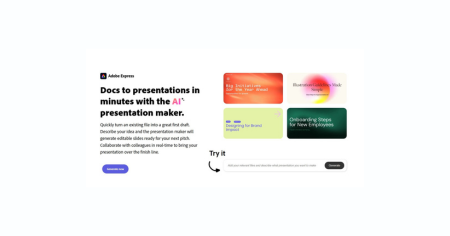
Aside from creating original designs from scratch, Adobe Express also offers an AI Presentation Generator to help you create complete and customizable slide decks. You can generate presentations with a text prompt or your uploaded files. Finished presentations can be downloaded as PDF or PPTX. You can also present directly from Adobe Express.
Here's a sample template from Adobe Express:

While its AI capabilities may seem limited compared to Design.com, especially in the free version, one of the advantages of using Adobe Express is that you can also access several Adobe features. If you're already an Adobe user, you can use Adobe Fonts, stock photography, and Photoshop features as part of the Adobe Creative ecosystem.
Pricing:
Free: Create presentations using limited AI features plus basic templates and assets.
Paid plans: From $9.99 per month, you can access full AI features, premium templates, and Adobe Stock.
6. Gamma
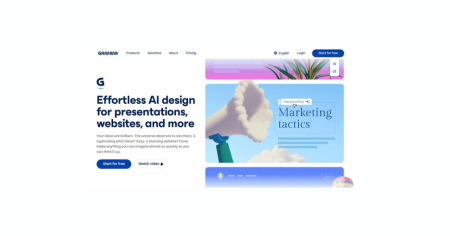
One of the fastest-growing AI presentation tools, Gamma has been helping startups, marketers, and consultants create complete, web-native presentations complete with content and visuals. All you have to do is provide your topic, outline, or upload an existing file to start generating presentations. It also allows you to specify the number of slides, text density, and image source.
Here's a Gamma-generated presentation for Secure Shield:

However, if you're expecting traditional slide decks, you may be caught off guard as Gamma generates card-based, scrollable decks. However, they're compatible with Google Slides and can be downloaded as PPTX, PDF, PNG, and JPG files.
Pricing:
- Free: Offers 400 AI credits that allow you to create around 10 decks with basic features and Gamma branding.
- Paid plans: Starts at $8 per month when billed annually and comes with unlimited AI, advanced image models, and watermark-free exports.
7. Beautiful.ai
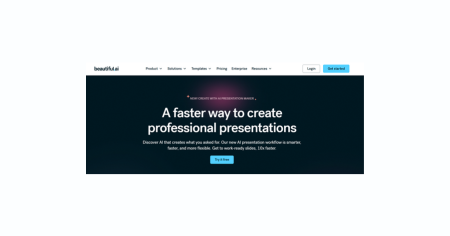
Powered by Anthropic, Beautiful.ai helps corporate teams and startups that need pitch decks, marketing campaigns, sales decks, and sales reviews. Its Smart Slides feature automatically adjusts layouts whenever you add or delete content, removing manual reformatting in recurring reports. Finished presentations are available in PPTX, PDF, JPG, and Google Slides.
Pricing:
Free Trial: Access the platform and all of its features for 14 days, no credit card required. Paid plans: From $12 per month when billed annually, create unlimited presentations and access custom themes and full AI features.
8. Tome AI PPT
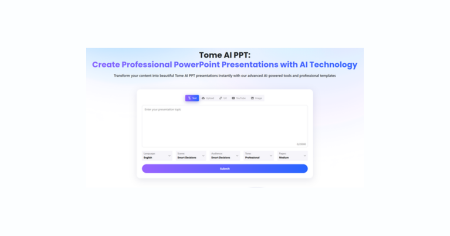
Tome AI PPT is a unique presentation tool that creates narrative-centric scrollable decks. Unlike traditional static slides, it generates “tomes” similar to modern webpages. It’s popular on LinkedIn for thought leadership content and investor updates. You can share it via a web link or download it as a PDF. If you upgrade to a Pro plan, you can also export your file in PPTX format.
Pricing:
Free: Allows you to create 10 pages per presentation and download PDF files with Tome branding. Paid plans: Start at $16 per month and unlock premium templates, custom branding, and PPTX exports.
9. Pitch
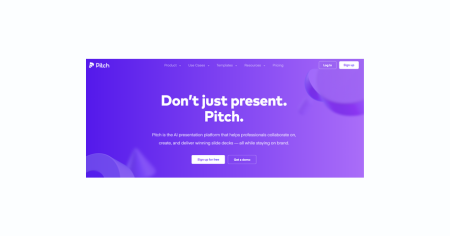
Pitch is a presentation tool that generates 11-slide presentations for B2B startups and sales teams. But what makes it unique is its feature called “Pitch Rooms,” a dedicated space for presentations, pricing PDFs, videos, and Calendly links. It also provides engagement tracking and collaboration capabilities.
Pricing:
Free: Offers 100 one-time AI credits to let you generate presentations and add up to five members. Paid plans: Start at $17 per month when billed annually and unlock access to two pitch rooms, 25 advanced links, custom fonts, and PPTX and PDF file formats.
10. Visme

Visme specializes in creating presentations for training materials, sales dashboards, and quarterly reports. It features over a million stock photos and graphics library, 50+ interactive data widgets, a full BrandKit system, and an enterprise admin dashboard. But aside from presentations, it also creates infographics, social media graphics, and interactive content.
Pricing:
Free: Access basic features and create limited projects downloadable as JPG only. Paid plans: From $12.25 per month, you can create more projects, use the BrandKit feature, and download your files in PPTX and PDF or share via an interactive link.
11. Prezi
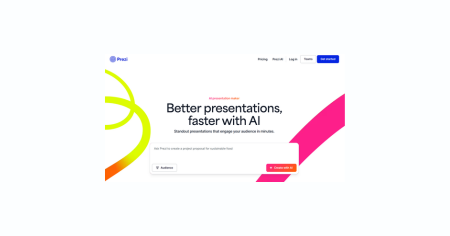
Prezi is another presentation tool that doesn’t rely on traditional static slides. Instead, it creates zoomable, non-linear canvases suitable for storytelling. Its AI provides suggestions for layouts, color palettes, and styles. You can export it as a PDF file, share it with a link, or just present it live. It's perfect for engaging tech-savvy audiences in conference presentations and trainings.
Pricing:
Free: Create presentations using 500 AI credits and basic features. Paid plans: From $7 per month when billed annually, you can create and present using basic features. Higher tiers unlock unlimited AI use and advanced features.
Quick Comparison Table
| Tool | Best For | Free Plan | Starting Price | AI Generation | Export Formats |
|---|---|---|---|---|---|
| Design.com | Entrepreneurs, small businesses, marketers | Yes (Unlimited browsing & customization) | Free / $9 per month (Premium) | ★★★★★ | PPTX, Google Slides, PDF, PNG, JPG, SVG, EPS |
| BrandCrowd | Small businesses, freelancers | Yes (Browse & customize) | Free / $9 per month (Premium) | ★★★★★ | PNG, JPG, SVG, EPS, PDF |
| Canva | Marketers, educators, content creators | Yes (Limited AI uses / 10 Magic Design uses) | Free / $14.99 per month (Pro) | ★★★★ | PDF (free), PPTX (paid) |
| Adobe Express | Adobe Creative Cloud users & design teams | Yes (Very limited AI generations) | Free / $9.99 per month (Premium) | ★★★ | PDF, PPTX |
| Gamma | Startups, consultants, async teams | Yes (400 AI credits / 10 decks) | Free / $8 per month (Plus) | ★★★★★ | PDF, PPTX, PNG, Google Slides |
| Beautiful.ai | Corporate teams, sales & marketing departments | Yes (14-day trial only) | $12 per month (Pro) | ★★★★ | PPTX, PDF, Google Slides, JPG |
| Tome AI PPT | Founders, storytellers, async updates | Yes (10 pages per presentation) | Free / $16 per month (Pro) | ★★★★ | PDF (free), PPTX (paid) |
| Pitch | Sales teams, B2B startups | Yes (100 one-time AI credits) | Free / $20 per month (Pro) | ★★★ | PPTX, PDF (paid only) |
| Visme | Data-driven teams, enterprise marketers | Yes (Very limited downloads) | Free / $12.25 per month (Standard) | ★★★ | PPTX, PDF |
| Prezi | Educators, conference speakers, creatives | Yes (500 AI credits) | Free / $7 per month (Standard) | ★★★ |
Final Verdict
All the presentation design tools listed have strengths, and some serve niche needs. However, Design.com AI Presentation Maker stands out as the best all-around choice. It suits entrepreneurs, small business owners, startups, and marketers with powerful AI features, built-in branding, and professional-quality exports.
Unlike others, Design.com offers exceptional accessibility. You can create and customize full presentations for free, with more export options included. Even without upgrading, users can upload their logo and enjoy automatic branding across slides.
This unmatched flexibility, combined with additional branding tools, makes Design.com the most versatile option. While other tools have their place, none match Design.com's accessibility, functionality, and overall value.


