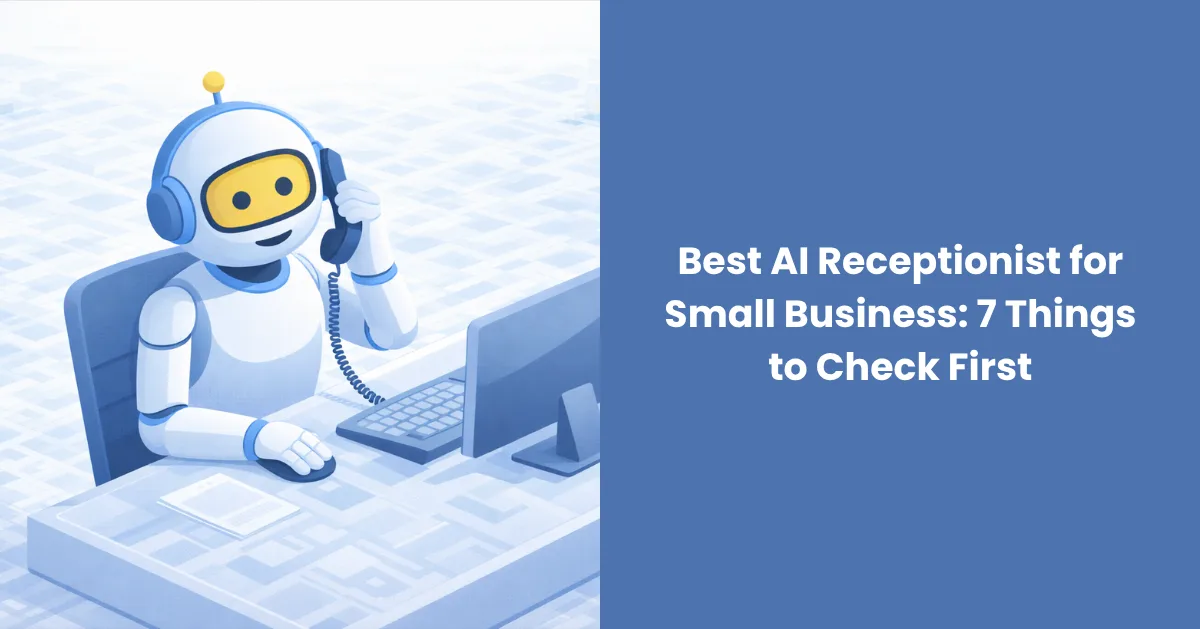
Anyone who runs a small business has had a day like this. Choosing the best AI Receptionist for Small Business is one way to stop it, but every vendor makes the same promises. This guide gives you seven checks that separate software that works from software that only sounds good in a demo.
TL;DR: The best AI receptionist answers every call at any hour and books appointments into your real calendar. It also connects to the tools you already use and hands off to a person when needed. This post covers seven checks to run before you pay, plus what recent data says about missed calls.
Why do small businesses lose customers to missed calls?
Small businesses lose customers to missed calls because the owner or front desk is busy when the phone rings, and the callback comes too late. By then the caller has usually found someone else. Calls tend to go unanswered during busy hours, lunch breaks, and after closing, exactly when no one is free to pick up.
A Quo analysis of 16.7 million missed calls from its customers found that 69% were not returned within 48 hours. Two days is plenty of time for a caller to hire someone else.
The miss rate also depends on your trade. A CallRail benchmark report on small businesses, released in January 2025, put missed calls at 32% in healthcare and 28% in legal. Home services came in at 14% and real estate at 9%.
In short: calls go unanswered when your team is busiest, and many of them never get returned.
What makes the best AI receptionist?
The best AI receptionist answers every call at any hour and books into your calendar. It works with your existing software, hands tricky calls to a person, and sounds natural. It also shows its price up front and protects customer data. If a tool fails one of these seven checks, keep looking.
1. Does it answer every call, day and night?
It should. Real 24/7 call answering means the phone is picked up within a ring or two. That includes 7 AM, the lunch rush, and weekends. Ask how many calls it can take at the same time. A human receptionist handles one call at once, while AI phone answering can handle several.
2. Can it book appointments straight into your calendar?
Booking is the part that makes money. The tool should check real availability, book the slot, and send a confirmation without anyone touching it. Appointment booking automation that only collects a name and number leaves you with the same callback list you had before. Ask to watch it book a live test appointment.
3. Does it connect to the tools you already use?
An AI Receptionist for Small Business should work with the calendar and CRM you already pay for. Switching your whole setup to suit the software defeats the point. AgentZap, for example, connects with more than 230 booking and CRM tools, so setup rarely means changing how your team works.
4. Can it hand the call to a person when it matters?
A good system sends emergencies, upset customers, and complex questions to a staff member or a live backup line. It should pass along a short summary so the caller does not repeat everything. Good customer call handling also means you set the rules, so ask what triggers a handoff and whether you can change it.
5. Does it sound natural and handle different languages?
Listen to a recorded call before you buy. The voice should answer quickly, cope with interruptions, and follow the caller if they switch languages mid conversation. An AI voice assistant for business that sounds stiff or pauses too long will frustrate callers. Test it with a messy question, like someone asking about two services at once.
6. What does it really cost?
Get the full monthly price in writing, including setup fees, call limits, and any per minute charges. A flat plan is easier to budget than a bill that grows with every call. For reference, AgentZap's flat plans start at $109 a month, which the company says costs up to 90% less than hiring front desk staff.
7. Is customer data protected?
Calls contain names, phone numbers, and sometimes health or legal details. Ask where recordings and transcripts are stored, who can see them, and how long they are kept. If you work in healthcare, ask whether the vendor supports HIPAA requirements and will sign a business associate agreement. Get the answers in writing.
In short: pick the tool that answers every call, books real appointments, fits your software, and is open about price and data rules.
How does an AI receptionist compare with a human receptionist or an answering service?
An AI receptionist answers several calls at once, at any hour, for a flat monthly fee. A human receptionist brings in person welcome and judgment but covers one call at a time and set hours. An answering service takes messages or books for you around the clock, usually priced by the minute or call.
An AI receptionist covers every hour of the day and can take several calls at once, which a single human receptionist cannot.
| AI receptionist | Human receptionist | Answering service | |
|---|---|---|---|
| Hours covered | All day, every day | Set shifts, time off | Often around the clock |
| Calls at once | Several | One | Depends on agents available |
| Books into your calendar | Yes, when connected | Yes, by hand | Varies by provider |
| Typical pricing | Flat monthly plan | Salary and benefits | Often per minute or per call |
| Best fit | Busy small teams that need coverage | In person welcome and judgment calls | Overflow with a live voice |
Which small businesses benefit most?
Any small business that earns money from phone calls and cannot always pick up benefits most. These are the ones that tend to feel it first.
• Dental teams are chairside most of the day. AI phone answering built for dental practices can catch new patient bookings that would otherwise reach voicemail.
• Medical clinics field appointment requests and questions about hours and insurance all day.
• Law firms often miss calls during meetings and court time, and prospective clients tend to phone more than one firm.
• Real estate agents are showing homes when buyers call.
• Salons have stylists with their hands full during peak hours.
• Home service companies, such as plumbing and HVAC, have technicians on rooftops and under sinks.
If you are still weighing whether AI makes sense at your size, SoftCircles has a useful read on whether AI is only for enterprise companies.
Frequently asked questions
What is the best AI receptionist for a small business?
The best choice is the one that passes the seven checks above. It answers every call, books into your calendar, connects to your tools, and hands off to a person. It also sounds natural, prices clearly, and protects data. Test two or three with a real call before you commit.
How much does an AI receptionist cost?
Prices vary by provider, but flat monthly plans are common and easier to plan around than per-minute billing. AgentZap's plans start at $109 a month. Ask about setup fees, call limits, and overage charges before you sign.
Can an AI receptionist book appointments?
Yes, when it is connected to your calendar or booking software. It checks open slots during the call, books the time, and sends a confirmation. Ask the vendor to show a live booking before you buy.
Is an AI receptionist better than a human receptionist?
It depends on the job. An AI receptionist is better at covering every hour and taking several calls at once. A human is better at in-person welcome and delicate situations. Some businesses use both, with the AI covering after-hours calls and overflow.
Does an AI receptionist work with my CRM and calendar?
Most can, but the list of supported tools differs by vendor. Check that yours is on the list and ask how bookings and call notes sync. AgentZap connects with more than 230 tools, and it is worth asking any provider the same question.
What happens when the AI cannot answer a question?
A well-set-up system transfers the call to a staff member or takes a message and flags it for follow-up. You choose the rules. It should also pass along a short summary so the caller does not have to repeat themselves.
How long does setup take?
Setup time depends on how many services, rules, and integrations you need. Simple setups can be done quickly, and detailed ones take longer. Ask the vendor for a typical timeline and what you need to provide, such as your service list, pricing, and calendar access.
Is an AI receptionist safe for customer data?
Safety depends on the vendor's practices, so ask directly. Look for encryption, clear retention rules, and limits on who can access call recordings. Healthcare businesses should ask about HIPAA support and a signed business associate agreement.
The bottom line
Dan now lets the phone ring while he finishes the job. A virtual receptionist picks up, books the visit, and sends him the details. That is what an AI receptionist for Small Business should deliver: every call answered, and no waiting on a callback.
Run the seven checks, test with a real call, and pick the tool that fits your software and budget. If you would like to hear one in action, AgentZap is a good place to start.