



A customer relationship management (CRM) tool can help businesses bring these activities together, improve visibility, and create more consistent client experiences.
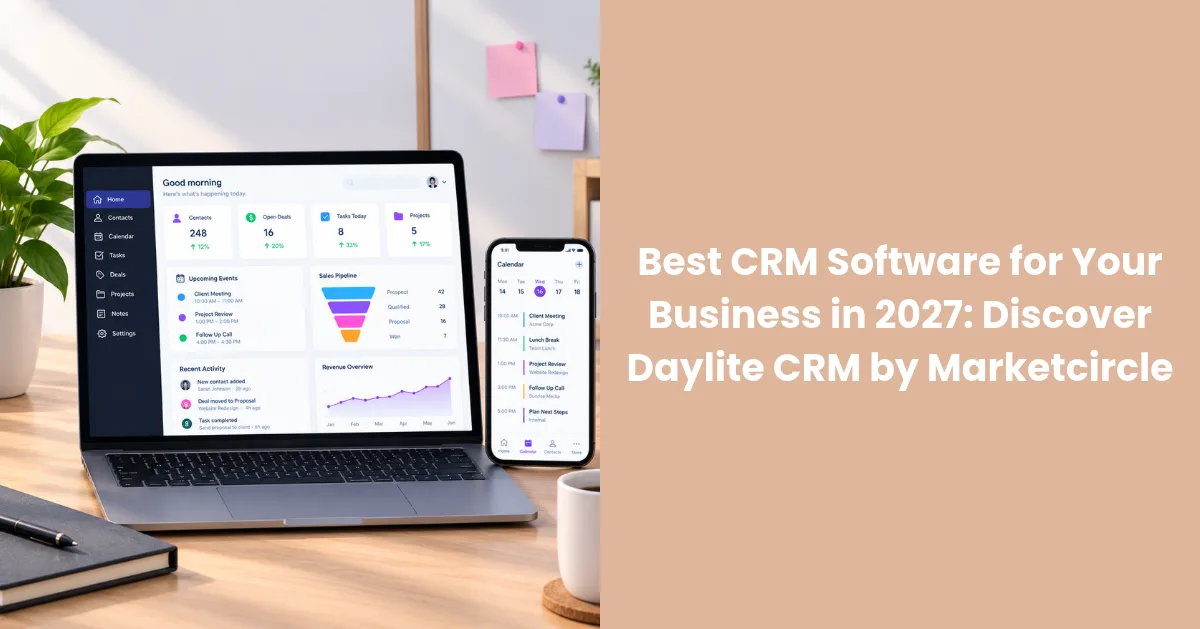
Daylite CRM by Marketcircle is a business management solution designed specifically for Mac, iPhone, and iPad. It brings contact management, sales pipeline tracking, task management, email organization, and project management into one connected workspace. With AI-assisted writing capabilities available through supported Apple Writing Tools, Daylite also supports professionals looking to streamline everyday business communication.
For consultants, professional service providers, and Apple-focused businesses, Daylite offers a way to connect client relationships with the daily work required to manage and grow a business, making it an option worth considering when comparing CRM software.
What Is Daylite CRM?
Daylite is a customer relationship management and business productivity platform developed by Marketcircle. Recognized as an option for businesses seeking the best CRM Software, Daylite helps organizations streamline customer information, manage sales opportunities, coordinate projects, and track activities associated with client relationships to improve productivity and business efficiency.
Instead of treating contacts, emails, tasks, and projects as disconnected pieces of information, Daylite helps users connect them. This makes it easier to understand a client's history, review previous interactions, identify outstanding tasks, and determine the next steps in a business relationship.
Daylite is built for the Apple ecosystem, with applications for Mac, iPhone, and iPad. Its approach makes it particularly relevant for professionals who already rely on Apple devices to manage their work.
Whether a business is following up with a prospective customer, preparing for a client meeting, or coordinating a project after a sale, Daylite provides a centralized environment for organizing these activities.
Key Features of Daylite CRM
- Contact and Client Relationship Management
Maintaining strong client relationships requires more than storing names and phone numbers. Businesses need context about previous conversations, customer requirements, meetings, and outstanding commitments.
Daylite helps users organize contacts and connect them with relevant notes, communications, tasks, and business activities. This gives teams a more complete view of their client relationships and helps them prepare for conversations with the information they need.
By keeping client-related information organized, businesses can spend less time searching through disconnected records and more time focusing on customer needs.
- Sales Pipeline and Opportunity Management
A structured sales pipeline helps businesses understand where prospective customers stand and what needs to happen next.
Daylite Sales provides tools for organizing leads, tracking opportunities, and managing sales activities. Teams can monitor opportunities throughout the sales process and maintain visibility into follow-ups and next steps.
This can help businesses establish a more consistent sales process, prioritize opportunities, and reduce the risk of potential customers being overlooked.
- Task Management and Client Follow-Ups
Missed follow-ups can delay sales, affect project progress, and weaken customer relationships. Daylite helps users organize tasks, assign responsibilities, and connect activities with the relevant contacts, opportunities, and projects.
With tasks linked to business context, users can better understand why an activity matters and what needs to be completed next.
For consultants and service-based businesses managing multiple clients simultaneously, this structure can make daily work easier to prioritize and coordinate.
- Email and Calendar Integration
Business communication often contains important details about client expectations, project requirements, and sales opportunities. When this information remains isolated in email inboxes and calendars, it can be difficult to maintain a complete customer history.
Daylite integrates with Apple's productivity environment to help users connect relevant communications and activities with their business records.
This supports a more organized approach to reviewing client interactions, preparing for meetings, and keeping track of commitments.
- Project Management and Milestone Tracking
Winning a client is only one part of the customer journey. Businesses also need to deliver work, coordinate responsibilities, track deadlines, and maintain communication throughout a project.
Daylite Projects helps businesses organize projects, manage project pipelines, and track milestones. Connecting projects with client information can help teams maintain continuity between sales conversations and service delivery.
This is especially useful for project-based businesses that need visibility into both customer relationships and ongoing work.
- Smart Lists, Templates, and Workflow Organization
As businesses grow, recurring activities can become difficult to manage consistently. Daylite includes organizational capabilities such as Smart Lists, templates, and Activity Sets to help users structure information and standardize repeatable work.
These features can help teams organize their priorities, create more consistent processes, and manage recurring activities without losing sight of individual client requirements.
- Access Across Mac, iPhone, and iPad
Daylite is designed specifically for users within the Apple ecosystem. Its Mac, iPhone, and iPad applications help users access and manage relevant business information across supported devices.
Whether preparing for a meeting, reviewing a client record, or checking outstanding tasks, professionals can work within an environment designed around the devices they already use.
For Apple-focused businesses, this device compatibility is an important consideration when selecting a CRM. For businesses looking for the best CRM for Mac, compatibility with Apple's ecosystem is an important factor when evaluating available solutions.
How Daylite AI Assistance Can Improve Business Productivity
Artificial intelligence is becoming increasingly useful in everyday business workflows, particularly when it comes to writing, reviewing, and organizing information.
Daylite users can benefit from AI-assisted writing through Apple's Writing Tools on supported devices and software versions. These tools can help professionals improve business communication without replacing the human judgment required to manage customer relationships.
- Improve Client Email Writing
Writing clear, professional emails is a regular part of managing client relationships. AI writing tools can help users refine wording, improve clarity, and polish messages before sending them.
This can be useful when preparing client updates, responding to business inquiries, or communicating next steps after a meeting.
- Rewrite Messages for the Right Tone
Different business situations call for different communication styles. A sales follow-up may require a concise and persuasive message, while a project update may need to be more detailed and informative.
Supported Apple Writing Tools can help users rewrite text and adjust its tone to suit the intended audience and purpose.
- Proofread Business Communication
Errors and unclear wording can affect the professionalism of business correspondence. AI-assisted proofreading can help users identify writing issues and improve the readability of messages before sharing them with customers or colleagues.
- Summarize Information More Efficiently
Summarization tools can help condense supported text into shorter, more manageable versions. This can be useful when reviewing lengthy information or identifying the main points that need attention.
Users should always review summaries for accuracy and ensure that important context has not been lost.
Why AI Assistance Matters for CRM Users
AI-assisted writing can reduce the effort involved in routine communication and help professionals spend more time on client service, sales activities, and project delivery.
When combined with Daylite's contact management, task organization, sales pipeline, and project management capabilities, these tools can support a more efficient approach to everyday business work.
AI assistance should be viewed as a productivity aid rather than a replacement for relationship management or professional decision-making. Availability depends on compatible Apple devices, software versions, languages, and regional support.
Best CRM for Mac: Why Apple Users Should Consider Daylite
Choosing the best CRM for Mac involves more than checking whether a platform runs in a browser on macOS. Businesses should consider how the CRM fits into their existing applications, communication habits, mobile workflows, and daily operations.
Daylite is built specifically for the Apple ecosystem, with tools for managing contacts, sales opportunities, tasks, emails, and projects.
A CRM Designed Around Apple Workflows
Businesses using Mac, iPhone, and iPad may prefer a CRM that fits their existing device setup. Daylite's Apple-focused approach allows professionals to manage customer information and business activities through applications designed for these devices.
Connected Client Information
Switching between separate applications to find client notes, previous conversations, and upcoming tasks can interrupt daily work. Daylite helps connect these records, making it easier to review the context surrounding a customer relationship.
Sales and Project Coordination
For consultants and professional service providers, sales activities and project delivery are closely related. Daylite helps users manage opportunities and organize projects within the same broader business management environment.
Mobile Access to Business Activities
Professionals frequently need to review contact details, check tasks, or prepare for meetings while away from their desks. Daylite's iPhone and iPad applications support access to business information across compatible Apple devices.
Productivity and Writing Assistance
On supported Apple devices and software versions, users may also be able to access Apple's Writing Tools to help rewrite, proofread, and summarize text. These capabilities can assist with everyday business communication, subject to Apple's compatibility and availability requirements.
Who Should Consider Using Daylite CRM?
Daylite may be particularly suitable for businesses that manage ongoing client relationships and depend on Apple devices for their daily operations.
Consultants and professional service providers: Organize client records, meetings, tasks, and follow-ups across multiple engagements.
Sales professionals: Manage leads, track opportunities, and maintain visibility into the sales process.
Project-based businesses: Connect client information with project planning, milestones, and ongoing activities.
Small and growing teams: Bring customer management and everyday business workflows into a more centralized environment.
Apple-focused businesses: Manage business activities through a CRM designed specifically for Mac, iPhone, and iPad.
The right fit depends on each organization's workflow, team size, technical requirements, and reliance on Apple's ecosystem.
Why Choose Daylite CRM by Marketcircle?
A CRM should do more than store customer details. It should help businesses understand their relationships, organize follow-ups, manage opportunities, and coordinate the work required to deliver value to customers.
Daylite brings these activities together in a platform designed for Apple users. Its combination of contact management, sales pipeline tracking, task management, project organization, and AI-assisted writing capabilities can help professionals connect customer information with their daily business activities.
For consultants, service providers, and teams managing multiple client engagements, this connected approach can make it easier to maintain context, organize priorities, and support a consistent customer experience.
Businesses already using Mac, iPhone, and iPad can explore whether Daylite's features align with their existing workflows and operational requirements.
How to Get Started With Daylite CRM
Before adopting a CRM, consider how your business currently manages customer information, sales opportunities, email communication, follow-ups, and project delivery.
Identify where information becomes difficult to find, which tasks are frequently missed, and which processes require unnecessary manual effort. Then evaluate how Daylite's capabilities could address these challenges.
You can explore its features, supported devices, and available plans on the official Daylite website.
Final Thoughts
Successful client management depends on organized information, timely communication, consistent follow-ups, and effective project coordination. Daylite CRM by Marketcircle brings these activities together in a business management solution designed for Mac, iPhone, and iPad users.
With contact management, sales pipeline tracking, task and project organization, and AI-assisted writing through supported Apple Writing Tools, Daylite can help businesses create more connected workflows for managing client relationships.
For consultants, professional service providers, and Apple-focused teams looking to bring customer management and daily business activities into one workspace, Daylite is worth exploring as one of the best CRM software options for Mac users in 2027 and beyond.


