



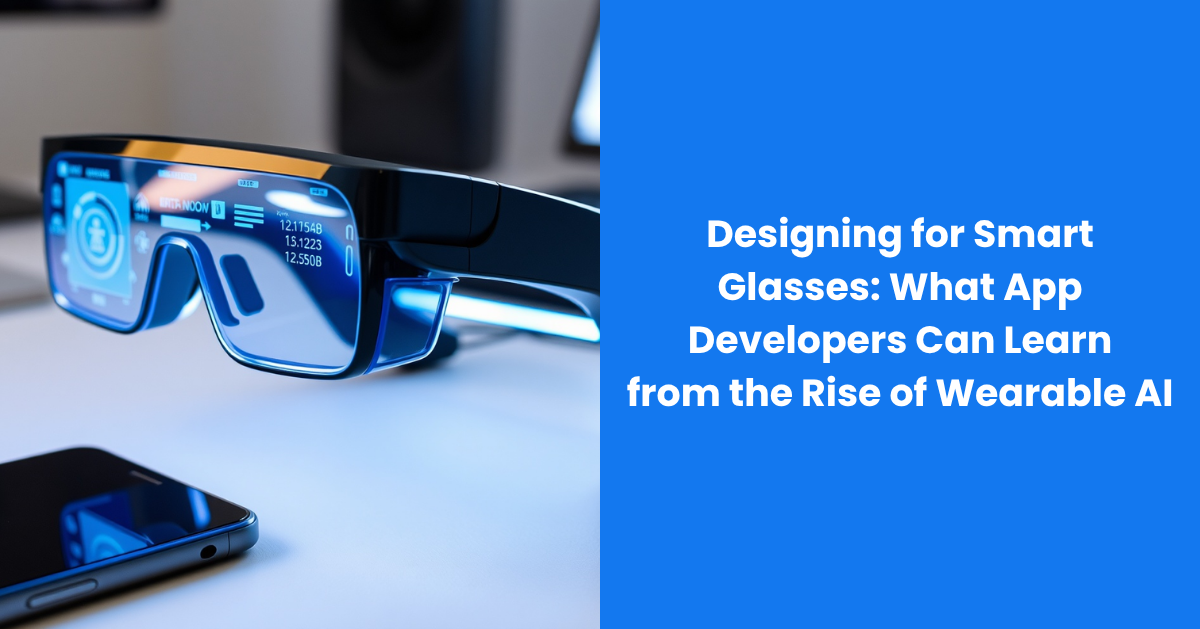
Wearable AI can respond to speech, receive visual context from a camera and deliver information through audio or a small display. The user may be walking, working with both hands or speaking to another person while the interaction takes place.
For app developers, this is not an opportunity to shrink a smartphone interface and place it closer to someone’s eyes. It requires a different approach based on context, short interactions, privacy and smooth movement between devices.
Begin With the User’s Immediate Need
People usually open a phone app with a clear intention. They choose a map, messaging service or shopping platform and then navigate its interface.
A smart glasses interaction may begin more naturally. The user could look at an object and ask what it is, request the next navigation instruction or save a spoken reminder. The application must understand the intention without requiring several menus.
Developers should begin by identifying moments when glasses provide a real advantage. The strongest use cases usually involve at least one of three conditions: the user’s hands are occupied, looking at a phone would interrupt the task or visual context can simplify the request.
If none of these conditions apply, the smartphone may remain the better interface.
Design for Short Interactions
A mobile application can reasonably expect several minutes of attention. Smart glasses often have only a few seconds.
Spoken responses should provide the most useful information first. If someone asks for directions, the application should give the next necessary action instead of explaining the complete route. If a user requests product information, the service can offer a brief answer and make additional details available on the connected phone.
Long audio responses are difficult to scan. Users cannot quickly jump between spoken paragraphs in the same way they can move through a page. The system should therefore make it easy to pause, repeat or stop an answer.
Applications should also remember the immediate context. A follow up question such as “What about the other one?” may refer to another object the user can see. Requiring the full request again would make the interaction feel unnatural.
Treat the Camera as Context, Not Constant Input
One reason wearable AI is developing quickly is that cameras can help applications understand what the user is referring to.
Modern glasses with camera demonstrate how visual input can be combined with voice controls and AI assistance. Ray-Ban Meta glasses, for example, allow users to ask questions about what they are seeing. For developers, this creates opportunities to build services that respond to an object, sign, document or physical setting without requiring the user to describe everything manually.
The camera should not operate continuously simply because it is available. An application should access visual information only when it is necessary for the requested function and after receiving the appropriate permission.
Developers should also limit what is retained. If the application only needs to identify a product code, it may not need to store the full image. Processing less information reduces privacy risk and can lower storage and computing costs.
Support Different Types of Glasses
Not all smart glasses provide the same capabilities. Some models focus on cameras, microphones and audio. Others include a display that can show text, directions or simple controls.
Android XR documentation distinguishes between audio glasses and display glasses, encouraging developers to check device capabilities while an application is running. This is an important design principle for the entire category.
An app should not fail because a particular model lacks a display. It might deliver the same essential information through audio. If a camera is unavailable, the service could ask the user to describe the object or continue the task on a phone.
Capability based design allows developers to support a wider range of products without creating a separate application for every frame. It also prepares the service for hardware that has not yet reached the market.
Build a Connected Experience
Smart glasses should rarely be treated as a complete replacement for a phone or computer. Each device is suited to different types of interaction.
Glasses can handle immediate tasks such as capturing a photo, hearing a reminder or asking a short question. A phone is better for reviewing several options, changing account settings or editing a detailed document. A computer remains useful for complex work requiring a large visual area.
Developers should make transitions between these devices simple. If a user identifies an item through the glasses, the full record should be easy to open on the phone. If a spoken response contains several details, the application could send a readable summary to the companion app.
The user should not need to repeat the request after changing devices. Maintaining context across the experience can make several products feel like one service.
Make Voice Flexible
Voice is likely to become an important control method for wearable applications, but it should not be the only one.
Speaking to a device may be uncomfortable during a meeting, on public transportation or in a quiet library. Noise can also make voice recognition less reliable. Frame controls, gestures or actions on a connected phone can provide useful alternatives.
Developers should account for natural variation in speech. Users may choose different words for the same request, pause in the middle of a sentence or change their mind while speaking. A good interface allows correction without requiring the conversation to begin again.
The app should also communicate uncertainty. If it is not sure which object the user means, it should ask a focused question rather than choosing silently.
Plan for Imperfect Connections
Wearable applications may depend on a phone connection, mobile data and remote AI processing. Any part of this chain can fail.
Developers need to decide which functions should continue without internet access. Basic controls, saved information and downloaded translation data may be available locally. More advanced visual analysis may require a network connection.
When a service is unavailable, the response should be clear and immediate. The application should not leave the user waiting without knowing whether the request was received.
Battery use also matters. Frequent camera access, audio streaming and remote processing can place heavy demands on a small wearable device. Apps should avoid unnecessary background activity and give users control over features that consume significant power.
Make Privacy Visible
A phone screen shows when an application is open and often displays camera or microphone indicators. Smart glasses need equally understandable signals.
Developers should request permission close to the moment when a feature is used. A general agreement accepted during setup is not enough to explain every future recording or AI interaction.
The wearer also needs to understand when data is being captured, transmitted or stored. People nearby should receive an appropriate signal when the camera is recording. Application design must never encourage users to hide or bypass that indicator.
Privacy controls should use clear language. Users need to know what information is collected, why it is needed and when it will be deleted. They should also be able to review and remove their stored activity.
Design for Social Situations
A wearable app operates around other people. That social setting is part of the interface even though developers cannot control it.
An audio notification that is acceptable while walking alone may be disruptive during a conversation. A camera feature that works well outdoors may be inappropriate in an office, classroom or private home.
Applications should make it easy to enter a quiet mode, stop recording and disable selected features temporarily. They can also remind users to ask permission when a recording is likely to include other people.
The most successful wearable services will not make every interaction visible. They will support the user while respecting the attention and comfort of everyone nearby.
Measure Completed Tasks
Traditional app metrics often focus on time spent, screens viewed and the number of daily sessions. Those measures may be unsuitable for smart glasses.
A good wearable interaction could last only five seconds. The user asks a question, receives the correct answer and continues with the day. Longer engagement may indicate that the application failed to understand the request.
Developers should measure whether users completed the intended task, how often they needed to repeat themselves and when they moved to another device. Error rates, response time and successful handoffs may reveal more than total usage time.
Qualitative testing is equally important. Developers need to observe how people use the application while walking, working and interacting with others. A feature that performs well in a quiet test environment may fail in daily life.
The Interface Should Know When to Disappear
The rise of wearable AI gives developers access to a more immediate relationship between digital services and the physical world. That access comes with responsibility.
Smart glasses applications should provide assistance without constantly demanding attention. They should use cameras only when relevant, communicate through several interaction methods and transfer complex tasks to a more suitable device.
The best wearable app may feel smaller than its mobile equivalent. It does fewer things in the moment, but it does them with less friction. For developers, designing that kind of experience requires restraint as much as technical ambition.
