



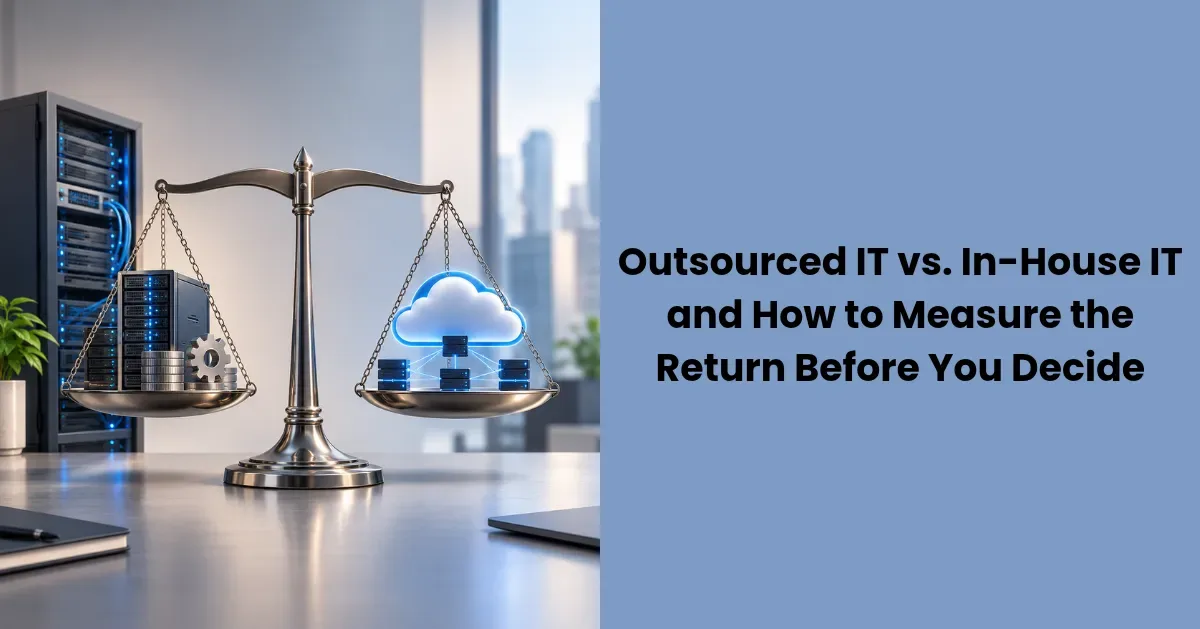
This framework covers the three ways a company of 50 to 200 employees can structure IT support, five measurable inputs for judging return on investment, and a practical method for holding any vendor proposal up against your own numbers before you sign anything.
Three ways to structure IT support and who does what in each
Each of the three models splits the same work in a different way, and the clearest way to compare them is to look at who handles daily support, specialist work, and after-hours problems.
Hiring in-house IT staff
Hiring in-house means one or more employees on your payroll handle help desk requests, device setup, network upkeep, vendor calls, and security settings, usually during normal business hours. The advantage is a person who knows your people, your software, and your office layout and who can walk to someone's desk within minutes when something breaks. The limits are coverage and depth, because one or two people cannot be experts in networking, security, cloud licensing, and compliance at once, and they also take vacations and sick days.
Outsourcing IT fully
Full outsourcing hands day-to-day support, monitoring, patching, backups, security tools, and planning to a managed service provider, usually for a predictable monthly fee tied to users or devices. Your company still owns decisions about budget and priorities, but the provider's team handles the work, including after-hours coverage and specialist skills that a small internal team rarely has. The tradeoff is distance, because an outside team needs good documentation and clear communication to understand your business as well as an employee who sits in the same building.
Co-managed IT with one internal IT person
A co-managed setup keeps one internal IT person on staff and pairs that employee with a managed service provider that supplies tools, specialist depth, and backup coverage. In the most common split, the internal person handles on-site requests, user relationships, and knowledge of company-specific software, while the provider handles monitoring, patching, security operations, and after-hours support. The provider also gives the internal person an escalation path for problems outside their experience, such as firewall configuration, cloud migrations, or a suspected security incident.
This model works best when responsibilities are written down, because a co-managed arrangement where both sides assume the other is watching the backups is worse than either model on its own. It also protects the company from relying entirely on one employee, since the provider's documentation and tools keep running when that person is on vacation or moves on to another job.
Five baselines to collect before you talk to any vendor
Return on investment only means something when you know your starting point, so collect these five baselines from your own records before you take a single vendor meeting. Each one can be gathered from documents you already have, such as payroll records, invoices, ticket logs, and past security questionnaires, without paying anyone for an assessment.
1. Fully loaded cost per user per month
Add up everything you spent on IT over the last twelve months, including salaries, benefits and payroll taxes for any IT staff, software and cloud subscriptions, outside contractors and emergency repair bills. Divide that total by twelve and then by the number of employees who use technology, which gives you a fully loaded cost per user per month that any proposal can be measured against. Be honest about hidden costs, such as the hours an office manager spends handling IT on the side, because leaving them out makes the current setup look cheaper than it really is.
2. Hours of downtime per year
List every outage or slowdown from the past year that stopped people from working, including internet failures, email problems, server crashes, and ransomware scares, and estimate how many hours each one lasted. Multiply those hours by the number of affected employees and an average hourly labor cost, which turns downtime into a dollar figure you can weigh against prevention spending.
3. Average ticket resolution time
If you use a ticketing system, export the past six months of requests and calculate the average time from submission to resolution, separating urgent problems from routine requests. If nothing is tracked, ask employees to log every IT problem for a month, because even a rough record shows how long people wait and how often the same issues repeat.
4. Coverage outside business hours
Write down exactly what happens when a server fails at 9 p.m. or a phishing email lands on a Saturday, including who gets the alert, who responds, and how quickly. For some companies the honest answer is that nobody responds until Monday morning, which is an important finding even though it never shows up on any invoice.
5. Audit and security questionnaire readiness
Pull the last few security questionnaires you received from customers, insurers, or auditors, and note how long each took to complete and which questions you could not answer with evidence. Gaps such as missing multifactor authentication, untested backups, or no written incident response plan are real business risks, because they can cost you a contract or raise an insurance premium.
How to compare a proposal against your own numbers
Once your baselines are written down, ask every vendor to respond to them in writing so that each proposal shows how it would change your numbers rather than simply listing services.
Start with cost by converting each proposal into the same fully loaded cost per user per month, and make sure it includes onboarding fees, licensing, project work, and hourly charges for anything outside the fixed fee. A proposal that looks cheaper on the monthly line can end up costing more once those extras are added, so ask each vendor for a sample invoice from a client of similar size.
For downtime and resolution time, ask what response and resolution targets the vendor commits to, how it measures them, and whether you will see those measurements in a monthly report. Compare those commitments with your own baselines, because a vendor that promises faster resolution is only offering value if your current resolution times are actually costing you productive hours.
For after-hours coverage, ask who monitors your systems at night and on weekends, whether those people are the vendor's own employees, and what happens between an alert and a response. For security questionnaire readiness, ask which controls the vendor will put in place during onboarding and whether it will help complete questionnaires with documented evidence rather than general assurances.
When you finish, you should be able to place your current setup and each proposal side by side on all five inputs, which turns the decision into a question of value rather than a contest over the lowest monthly price.
Structuring IT support at 50 to 200 employees
At 50 to 200 employees, the volume of daily requests is usually too large for an office manager to absorb but often too small to justify a full internal team with separate specialists for networking, security, and cloud. That is why the co-managed model tends to come up at this size, since one internal IT person can own the on-site relationship while a provider covers technical depth and after-hours monitoring.
Smaller companies in that range may find full outsourcing simpler to manage, while larger ones may grow into two or three internal staff supported by a provider for security operations and major projects. Whichever structure you lean toward, write down who owns each responsibility, including backups, patching, user accounts, security alerts, and vendor contracts, before any agreement is signed.
Dallas-Fort Worth has a deep bench of providers, and comparing at least three against the same five baselines is the most reliable way to see real differences in scope and price. Velocity IT is a Dallas-based managed IT provider founded in 2010 that serves small and mid-size businesses, and in August 2026 it was recapitalized by Intelligent Technical Solutions, a national managed IT and security provider. Cloudavize is a Dallas-based managed IT provider that describes its services as covering small and midsize businesses and mid-market companies across the region, with strategic consulting built into its managed offering. Sagiss, a managed IT provider in Las Colinas, offers both fully managed and co-managed IT support, which makes it one more local option to measure against the same baselines.
Making the call with your own numbers
Once your five baselines are written down, the decision between hiring, outsourcing, and a co-managed setup becomes a comparison of real numbers rather than a debate about preferences. Request a local proposal from each provider on your shortlist, share your baselines with them, and ask every vendor to show in writing how its plan would change each of the five inputs.
Give each vendor the same deadline and the same information, because proposals built on different assumptions are almost impossible to compare fairly once they land on your desk. If one of your current IT staff will stay on in a co-managed arrangement, include that person in every vendor meeting, since they know where the real problems are and will work with the provider every day.
The provider that answers those questions most clearly, with evidence you can check, is usually a better guide to long-term return than the one with the lowest monthly figure. Revisit the same five measurements six and twelve months after any change so you can confirm whether the return you expected is actually showing up in costs, downtime, response times, and audit readiness.


