



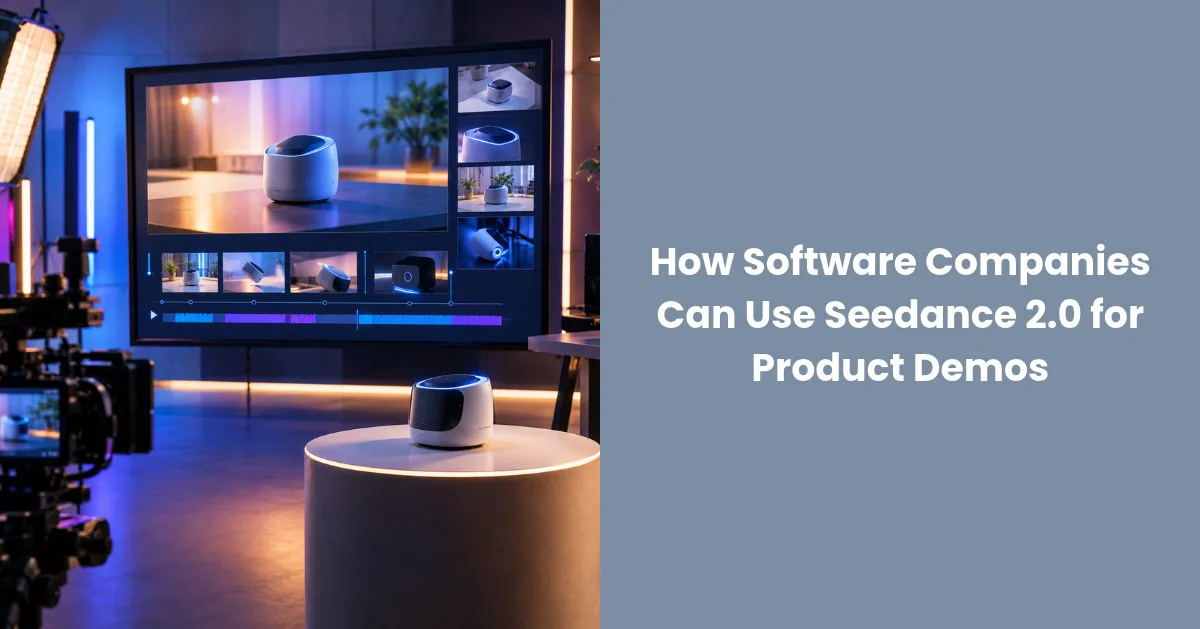
Generative video is starting to fill the gap, not by replacing screen recordings, but by creating the opening scenes, concept visuals and short promos around them. Seedance 2.0 is one of the video models available on Higgsfield, and its feature set suits this kind of work well. Higgsfield AI is a native AI creative suite, which offers advanced AI image, video, and voice generation, editing, and upscaling tools. This guide explains what the model offers, how software teams can use it and where real product footage must stay in the picture.
Why Do Software Marketers Need Video Beyond Screen Recordings?
A screen recording shows what the product does. It rarely shows why anyone should care. Buyers want to understand the problem first, then the solution. That is a storytelling job, and it calls for scenes: a stressed team with a messy workflow, a calm team after switching, a moment of relief.
Producing those scenes with actors and locations is costly, which is why most software marketing relies on abstract illustrations. Generated video offers a middle path, with realistic or stylised scenes for the story and real recordings for the proof.
Visibility matters too. Software companies often invest in links and content to be found, a topic this site covers in its article on technology link building for software companies. Video that gets watched and shared can support that effort by giving other sites something worth referencing.
What Does Seedance 2.0 Offer?
According to the live Higgsfield page, Seedance 2.0 includes these capabilities that matter for product marketing.
Native 4K. The model produces video at 4K resolution, which suits large displays, website hero sections and presentations.
15 seconds per shot. Each shot can run up to 15 seconds, enough for a short scene or an opening hook.
Multi shot with consistent characters. You can build sequences of shots in which the characters stay recognisable. That makes a short story possible, such as a user struggling with a task and then finishing it.
Native audio. The model generates audio alongside the video, so a clip is not silent by default.
Up to 12 reference assets. You can supply up to 9 images, 3 videos and 3 audio files as references. For software teams, this is the way to bring brand visuals, a product shot or a sound into the generation.
Locked faces and style. The page describes locking faces and visual style, which helps keep a series consistent across clips.
Camera controls. You can direct how the camera moves, for example a slow push in on a laptop screen or a pan across a team room.
One Click Video Recreation. The page lists a feature that recreates a video in one step, which is useful for producing variations of a clip that already works.
Included in all plans. The page states that Seedance 2.0 is included in all Higgsfield plans, with free generations. It does not state limits, so check the site for current details.
What Kinds of Videos Suit Software Marketing?
Not every video needs the same approach. Here are the formats where a model like this adds the most value.
Launch teasers. A short, atmospheric clip that builds interest before a release, with the product name and date added in an editor.
Problem and solution stories. A three shot sequence: the problem, the turning point and the relief. Real product footage follows.
Homepage hero loops. A short background video for a landing page that sets the tone for the product.
Social announcements. Quick clips for release notes and feature highlights.
Event and webinar promos. Visual teasers that give a session some personality.
Customer story intros. An illustrative opening before a real customer interview.
For anything that explains exactly how the software works, keep using real screen recordings. Generated scenes should never pretend to be the actual interface.
How Do You Plan a Demo Video Using Both Real and Generated Footage?
A hybrid approach gives the best of both.
- Define one message. What should the viewer understand after thirty seconds? Write it as a single sentence.
- Write a short script. Hook, problem, solution and call to action.
- Split the script into scenes. Mark which scenes are generated and which are real recordings.
- Generate the story scenes. Use Higgsfield to produce the opening and the problem and relief moments.
- Record the product. Capture the real interface for the proof.
- Assemble in an editor. Combine both, add captions, titles and music.
- Check accuracy. Make sure nothing implies a feature that does not exist.
How Do You Write Prompts for Product Scenes?
Clear prompts give predictable results. A good formula is subject, action, setting, camera and style.
For example: "A product manager looking at a dashboard on a laptop, relieved smile, bright modern office, slow push in, soft natural light, realistic."
Practical tips:
- Keep scenes simple. One main character and one action.
- Describe the camera. Use the controls for pushes, pans and static shots.
- Reuse references. Provide the same reference images across a series so characters and style match.
- Avoid text in the scene. Add titles and interface labels later, where you can control every character.
- Generate options. Compare several versions and keep the best.
- Change one thing at a time. If a shot is close, adjust one detail.
How Do You Keep a Series Consistent Across Releases?
Software companies ship regularly, so video needs to scale. Consistency makes a series feel like a brand rather than a set of one off clips.
Lock your look. Use the face and style locking the model offers so recurring characters stay the same.
Reuse reference assets. Keep a folder of approved images, clips and audio to feed into each new generation.
Keep a prompt library. Save the prompts that worked, with notes on what they produced.
Standardise lengths. Decide on a shot length and total runtime for each format.
Use recreation for variants. When a clip works, use the recreation feature to produce versions for other markets or campaigns.
What Should You Check Before Publishing?
A short review prevents embarrassing mistakes.
- Accuracy: do the visuals or the audio imply features, results or customers that do not exist?
- Brand fit: do colours, tone and characters feel like your company?
- Rights: do you have the right to use every reference asset you uploaded, including music and images?
- Likeness: are any faces based on real people? If so, do you have consent?
- Audio quality: are voices and music clear, and are captions accurate?
- Disclosure: do your channels or customers expect AI generated content to be labelled?
- Security: have you kept confidential screens, customer data and unreleased features out of uploads, unless your policy allows them?
What Mistakes Do Software Teams Make?
Using generated scenes as fake product footage. Show the real interface for the real steps.
Overlong videos. Shots are short for a reason. Keep stories tight.
Ignoring audio. Poor sound ruins a good picture.
Skipping captions. Many people watch without sound.
Not testing. Compare video against your existing page or post and measure the result.
Letting the video go stale. Interfaces change. Review older videos with each release.
What Are the Limits to Keep in Mind?
Generated video can contain small visual errors, and results vary between attempts. Fast action, small objects and detailed hands remain harder than simple scenes. The model creates scenes, not accurate software interfaces, so it cannot replace recordings of your actual product.
The page says Seedance 2.0 is included in all plans with free generations, but it does not state numbers, and plans can change. Confirm the current terms and usage rights with Higgsfield before you use clips in paid campaigns.
Is Seedance 2.0 Worth Trying for Software Marketing?
If your team needs more video than your production budget allows, yes. Pick one upcoming release, generate a short story opening in Seedance 2.0, combine it with a real screen recording and compare it against your usual announcement. If the video earns more attention or clicks, build it into your release routine. If not, you have lost very little.
Frequently Asked Questions
What resolution does Seedance 2.0 produce?
The Higgsfield page lists native 4K.
How long can a shot be?
Up to 15 seconds per shot.
Can I keep the same characters across shots?
Yes. The page lists multi shot sequences with consistent characters, and locked faces and style.
What can I upload as references?
Up to 12 assets: 9 images, 3 videos and 3 audio files.
Does it include audio?
Yes. The page lists native audio.
Is it free to use?
The page says it is included in all plans with free generations. Limits are not stated, so check the site.
Should I replace screen recordings with generated video?
No. Use generated video for story scenes and real recordings to show the product.


