



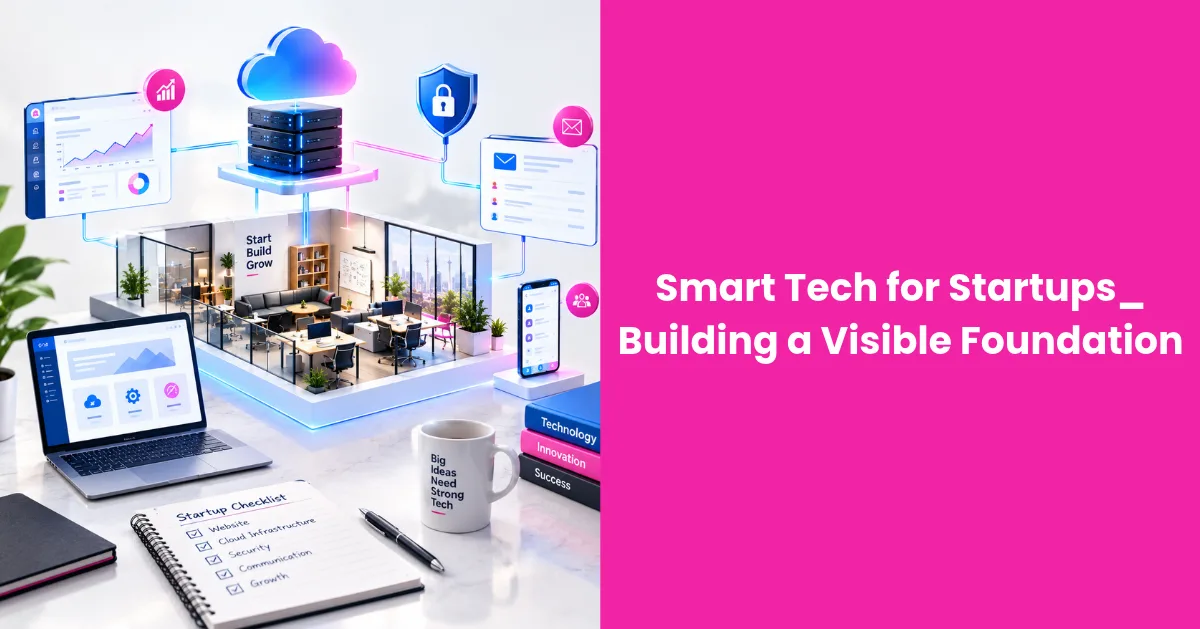
The best starting point is a short list of business needs: serving customers, tracking sales, managing money, supporting employees, and measuring results. Once those needs are clear, founders can select tools that work together and establish basic operating standards from the beginning.
Choosing Core Technology Solutions
Start with the systems your team will use every day. Most startups need email, cloud storage, project management, accounting, customer relationship management, and a dependable website. Product businesses may also require inventory or e-commerce software, while service firms often need scheduling and proposal tools.
Choose each platform according to a defined use case. For example, a five-person consulting company may need a CRM that records inquiries, assigns follow-ups, and tracks signed contracts. A system with extensive enterprise forecasting features could create more administrative work than value. The startup technology roadmap offers useful context for matching tools to a company’s current stage.
Compatibility deserves close attention. Check whether prospective platforms connect directly or through a trusted integration service. Confirm that they support data exports in standard formats, offer role-based access, and publish clear pricing for additional users. A low introductory price can become expensive if essential reporting or integrations sit behind higher plans.
Your public technology also needs to support visibility. A fast, mobile-friendly website should have logical navigation, useful service pages, and analytics configured from launch. Founders building an organic search plan can use Small Business SEO: A Complete Strategy for Lasting Rankings to understand how technical quality, relevant content, and authority contribute to lasting rankings.
Document why each core tool was selected, who owns it, and when the team will review it. That record prevents overlapping subscriptions and makes future replacements easier.
Automating for Early Efficiency
Automate stable, repetitive processes after you understand how they work manually. Good early candidates include appointment reminders, invoice notifications, lead assignments, and routine data entry. These tasks follow predictable rules and create little value when employees repeat them by hand.
Consider a startup receiving 50 website inquiries each week. A form can send each submission to the CRM, label it by service type, and notify the right employee. An automatic acknowledgment can tell the prospect when to expect a personal reply. The workflow saves time while preserving a clear handoff to a person.
Keep early automations small. Map the trigger, action, owner, and exception before switching anything on. Test with sample records and check what happens when information is missing or duplicated. Every automated workflow should also produce a visible record so employees can investigate errors without relying on the person who built it.
Artificial intelligence can help summarize meeting notes, categorize support requests, or draft internal documentation. The available startup AI tools vary widely, so test output quality and data handling before connecting one to customer information. Human review should remain part of any process that affects pricing, contracts, or public communication.
Technology alone won’t establish good working habits. Teams also need clear feedback channels and shared expectations. Soft Circles’ guide to building digital cultures explains how employee feedback can inform a practical tech stack as the organization develops.
Review automations monthly during the early stage. Remove rules that create duplicate work and update workflows whenever responsibilities change.
Securing Your Digital Footprint
Security starts with controlling access. Require multifactor authentication for email, financial systems, source code repositories, and customer databases. Give each employee an individual account and limit permissions to the information required for their role. Shared credentials make it difficult to investigate changes or remove access when someone leaves.
Use a business password manager to create and store unique passwords. Establish a simple onboarding checklist that covers account creation, approved devices, and security training. The offboarding version should disable accounts, transfer file ownership, and remove access to connected applications on the employee’s final day.
Data also needs a clear home. Decide which platform stores contracts, customer records, and internal documents, then discourage downloads to personal devices. Backups should run automatically and include a tested recovery process. A backup has limited value if no one knows how long restoration takes or who can authorize it.
AI services require similar controls. Sonatype’s overview of core AI technologies highlights the growing role of AI in business systems. Before employees submit files or prompts, define which information is acceptable. Customer details, private financial records, and confidential product plans should stay out of public AI tools unless a reviewed business agreement protects that data.
Create a short incident plan as well. It should name the person who coordinates the response, explain how to preserve records, and list vendors that must be contacted. Run a tabletop exercise twice a year using a realistic scenario such as a stolen laptop or compromised administrator account.
Scalable Infrastructure for Growth
A scalable technology foundation handles more customers, employees, and data without forcing the company to rebuild every process. That doesn’t require buying enterprise software during the first year. It requires selecting systems with credible upgrade paths, accessible data, and dependable integrations.
Ask vendors how their products behave at the next two stages of growth. If the team expands from 10 people to 40, can administrators manage access through groups? If customer volume triples, will reporting stay responsive? If the company enters a new market, can the platform support different currencies, time zones, or privacy requirements? Clear answers expose limits before migration becomes urgent.
Current technology trend analysis can help leaders identify developments worth monitoring, but trend reports shouldn’t dictate purchasing. A startup needs measurable business value. Set a threshold for every major investment, such as reducing support response time by 20 percent or shortening monthly reporting from two days to two hours.
Architecture matters too. Use application programming interfaces and standard data formats where possible, keep testing separate from live customer systems, and record configuration changes. Assign an owner to every major platform, including the website. Ownership should cover user access, renewals, documentation, and performance reviews.
Schedule a technology audit every six months. Compare subscription costs with actual usage, review failed integrations, and identify spreadsheets that have quietly become critical operating systems. A spreadsheet used by one employee may be fine. A spreadsheet controlling inventory, revenue forecasts, and customer commitments signals that the process needs a more dependable home.
The strongest foundation is visible in ordinary work: a new employee gets the correct access on day one, a customer inquiry reaches the right person, and managers can trust the numbers in their reports. Those outcomes provide a practical standard for every technology decision that follows.


