


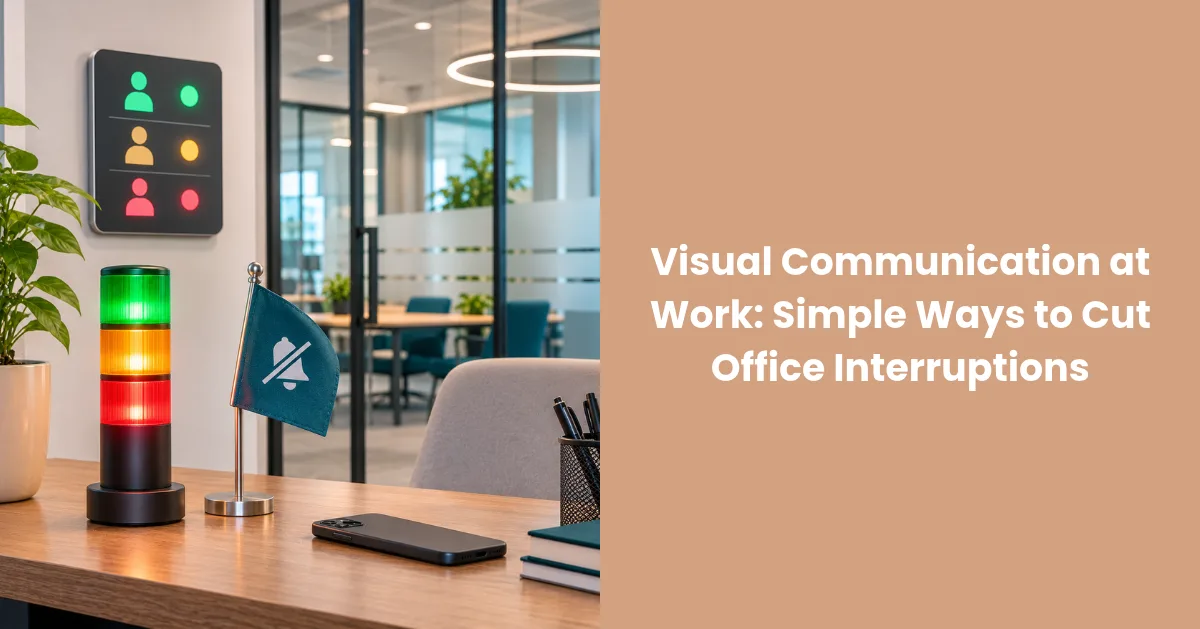
A light, color, or agreed desk signal gives colleagues context before they speak. It keeps everyday contact easy while protecting the periods when attention matters most.
Why Clear Communication Matters in the Workplace
Teams work faster when people do not have to guess. A visible status shows whether someone is available, concentrating, or speaking to a customer. Coworkers can then ask now, send a message, or return later.
This matters in open offices, where employees can see one another but cannot know what is happening through a headset. Hybrid teams face the same gap between online and in-room colleagues.
How Visual Signals Improve Team Awareness
A cue can be understood from a distance. Teams might use green for available, red for busy, and blue for focused work. Each company should define its colors and keep them consistent.
Good status systems answer several everyday questions:
- Is this person free for a conversation?
- Are they currently speaking on a call?
- Should a non-urgent request wait?
- Which signal identifies genuinely focused work?
Once those answers become familiar, employees check fewer calendars and avoid approaching someone who is presenting to a client.
Preventing Needless Interruptions With Visual Cues
The goal is to move communication to a better moment. A busy status encourages a colleague to send a message or wait until the light changes. Urgent matters can follow a separate rule.
The employee no longer has to reject a coworker or repeatedly explain the need for quiet. The signal describes the current situation rather than an unwillingness to help.
Setting Up a Workplace Status System That Works
Start with the situations that cause real friction. Sales teams may need a call status, while designers or developers may need longer focus periods. Support roles may require different rules because frequent contact is part of the job.
A manual signal may suit a small team, while automatic integrations help people who attend several daily calls. The device must sit where approaching coworkers can see it.
Visual Indicators for Calls and Deep Work
An on a call light is most reliable when it follows meeting software automatically. Luxafor Flag 2 can reflect Microsoft Teams status on Windows and macOS and supports Zoom, Slack, Google Calendar, Zapier, and other integrations. Users can also assign colors, use hotkeys, or set a focus timer.
Flag 2 connects through USB-C and attaches magnetically to a monitor or laptop. Six RGB LEDs provide different status colors, while USB power removes the need to charge a battery.
Making Status Signals Part of Everyday Workflows
A status system only helps when people follow it. Automatic updates reduce forgotten changes, but employees should know how to correct a status. Managers must respect the same signals.
A straightforward rollout can follow these steps:
- Identify the interruptions the team wants to reduce.
- Agree on three or four clear status meanings.
- Connect the tools already used for meetings and calendars.
- Test the setup with a small group.
- Adjust the rules after collecting practical feedback.
Luxafor offers bulk discounts for Flag 2, a two-year warranty, and a 30-day money-back guarantee. An organization can therefore test the system with one department before expanding it.
Advantages for Open-Plan and Hybrid Offices
In an open office, a visible status reduces walk-up interruptions. In a hybrid setup, integrations align the desk light with the status seen by remote teammates. Both groups know when conversation is welcome.
The benefit is better timing. People still collaborate, but fewer conversations begin during calls or demanding tasks. Concentration and accessibility can exist side by side.
Conclusion: Boosting Productivity Through Visual Communication
A simple signal tells coworkers what is happening before they interrupt. Luxafor Flag 2 combines that cue with integrations, timers, hotkeys, and flexible colors. With clear rules, teams can protect focus without making communication formal or difficult.