



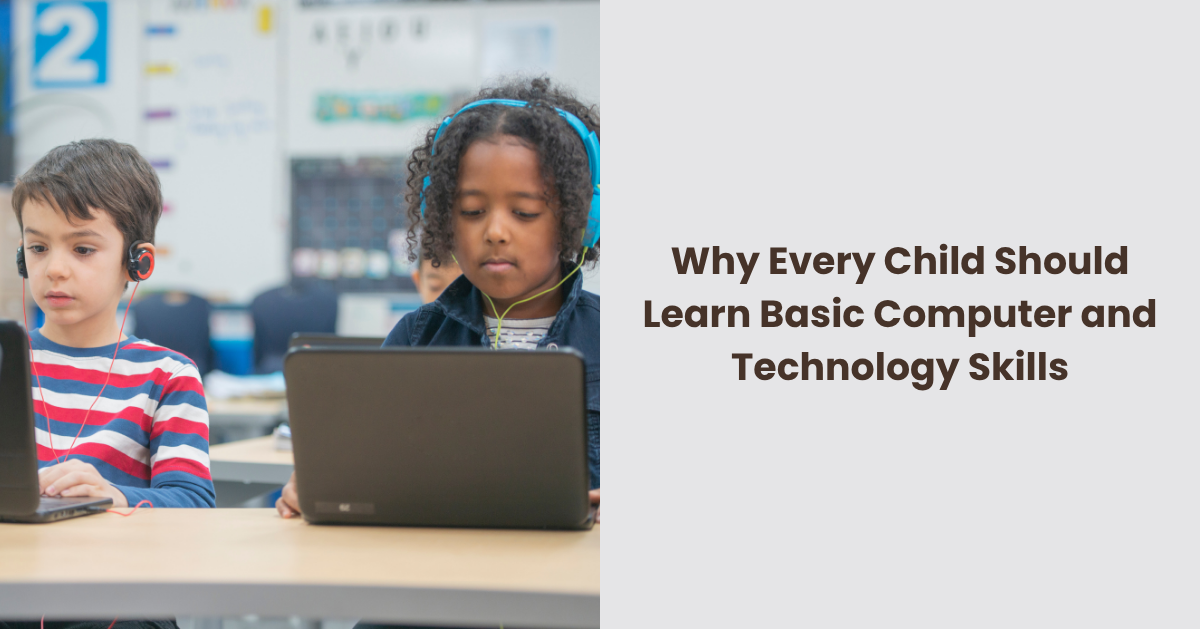
Basic computer and technology skills give children more than a head start in school. They help them ask better questions, take part in modern learning, protect themselves online and feel less dependent on adults for every digital task. The aim is not to turn every child into a programmer. It’s to make sure no child is left guessing when technology becomes part of homework, friendships, hobbies, appointments and later work.
Digital Confidence Starts With Ordinary Tasks
The first useful skills are often the least glamorous. Children need to know how to turn a device on and off properly, use a keyboard and mouse, open a browser, search sensibly, save work, name a file, print where needed and send a polite email. These basics matter when a child is asked to complete homework, join an online lesson or organise a school project.
Small frustrations can quickly grow when nobody has taught the basics. A child may spend longer trying to find a missing document than writing it. They may give up on an activity because a pop-up appears or because they don’t know how to move between tabs. Teaching these everyday actions removes avoidable stress and lets children focus on the learning itself.
Technology Is Now Part of Learning
Schoolwork no longer sits only in exercise books. Children may be asked to research a topic, use a learning app, upload work, take photos of a project, present slides or practise spelling and maths online.
The gap appears when some children arrive already comfortable with basic tools while others are still unsure where to click. That gap can affect confidence as much as performance. A child who doesn’t understand the tool may look as if they don’t understand the subject, when the real barrier is digital know-how.
For children whose care arrangements involve several adults, including a foster family agency, shared expectations around passwords, homework logins and device use can stop digital learning from becoming fragmented. Children benefit when the adults around them agree on simple routines, such as where school logins are kept, when devices are used for homework and who to ask if something online feels wrong.
Computer Skills Build Problem Solving
Writing instructions for a computer teaches children to break a problem into parts. Even a simple coding activity asks them to think about order, cause and effect, testing and correction. If the character on screen moves the wrong way, the child has to look back, find the mistake and try again.
That kind of thinking is useful beyond coding. It helps with maths, science, design, writing and everyday planning. Children learn that mistakes are not always failures. Sometimes they’re information. A program that doesn’t work gives feedback, and children can change one thing at a time until they understand what happened.
A computer follows the instructions it receives, not the ones a child meant to give. That can be frustrating at first, but it teaches children to be clear, patient and willing to revise their work. Those habits matter in many subjects, not only computing.
Online Safety Needs More Than Warnings
Many adults tell children not to talk to strangers online, but safety is much wider than that. Children need to understand privacy settings, passwords, location sharing, scams, adverts, in-app purchases, bullying, fake accounts and the pressure to reply quickly. A child who knows how technology is designed is better placed to question what they see.
Rules still matter, but they work best with explanation. “Don’t click that” is less useful than showing why a link looks suspicious. “Don’t share personal details” makes more sense when a child understands how information can be copied, forwarded or stored. Children also need words for uncomfortable online moments, so they can ask for help if they see upsetting content, receive a strange message or make a mistake.
The idea of an active digital citizen is useful here, because children are not only avoiding harm online. They’re learning how to take part, judge information, treat other people well and understand that online actions have real effects.
Creativity Grows When Children Make Things
Watching videos and playing games can be enjoyable, but children learn something different when they make their own digital work. A child might record a short film, edit a photo, design a poster, build a simple game, write a blog-style paragraph or create music on a tablet. Making something gives them a reason to use tools with care.
Creative projects also help children see technology as more than entertainment. A screen can become a place to plan, design, test and share ideas. Children who feel less confident with handwriting may enjoy arranging a presentation. A child who likes drawing may become curious about animation, while someone who loves stories may enjoy recording audio or building a branching tale.
Future Work Will Reward Digital Understanding
Not every child will work in technology, but almost every field now uses it in some way. Healthcare, construction, retail, transport, music, media and public services all depend on digital systems. A young person who understands the basics will have more options than one who sees technology as a mystery.
This does not mean children need career pressure at eight years old. It means they deserve a broad base. Typing, searching, editing documents, reading instructions, using spreadsheets, understanding data and recognising automated systems are the kind of skills that can help later, whatever direction they choose.
Concern about a widening social divide around computing has grown as artificial intelligence becomes part of lessons, homework and everyday decisions. Children who only know how to consume technology may struggle to question the systems shaping what they see. Children who have been taught the basics are better equipped to ask who made a tool, what it is doing and whether its answer should be trusted.
Access Should Not Depend on Home Circumstances
Some children have a laptop, reliable broadband and adults nearby who can help. Others share one device, use a phone for homework or rely on school access. That difference can quietly shape confidence, achievement and ambition.
Schools, libraries, community groups and families can reduce the gap by treating digital skills as ordinary learning rather than an optional extra. A child should not feel behind because nobody at home knows how to format a document or upload an assignment. Nor should a parent feel embarrassed because school systems are hard to follow.
What Children Should Learn First
Children don’t need to master everything at once. A sensible starting point is to build the skills they are most likely to use at school and in daily life, then add more as they grow.
Useful early skills include:
- Typing short pieces of text and editing mistakes
- Using a mouse, trackpad or touchscreen with control
- Opening, saving and finding files
- Searching online with careful wording
- Knowing what personal information should not be shared
- Creating strong passwords and keeping them private
- Sending respectful messages or emails
- Making simple presentations, posters or documents
- Understanding that not everything online is true
- Asking an adult for help without fear if something feels wrong
These skills can be taught through normal activities rather than formal lessons every time. Planning a birthday invite, researching an animal, making a family photo folder or writing a thank-you email can all teach useful digital habits. The best learning often happens when the task feels real.
Screen Time Works Better With Purpose
Time matters, especially when screens crowd out sleep, outdoor play, reading, conversation or movement. Yet the quality of screen use matters too. Half an hour making a stop-motion video is different from half an hour scrolling through clips.
Children benefit from clear boundaries, but they also need a chance to use technology with purpose. A family might separate homework, creativity, games and messaging rather than treating all screen use as the same. If children also see adults using technology to book appointments, learn a recipe, check a map, write to school or manage money, they start to understand its wider role as a tool that needs judgement.
A Basic Skill Set Every Child Deserves
Children are growing up in a world where forms, lessons, friendships, entertainment and future jobs all touch technology. Leaving them to pick it up by chance is unfair, especially for those who don’t have easy access to devices or confident adults at home.
The goal is not more screen time for its own sake. It is better screen use, wider opportunity and greater confidence. A child who can use technology thoughtfully can learn more, create more, protect themselves better and take part in a world that increasingly expects digital understanding.
