



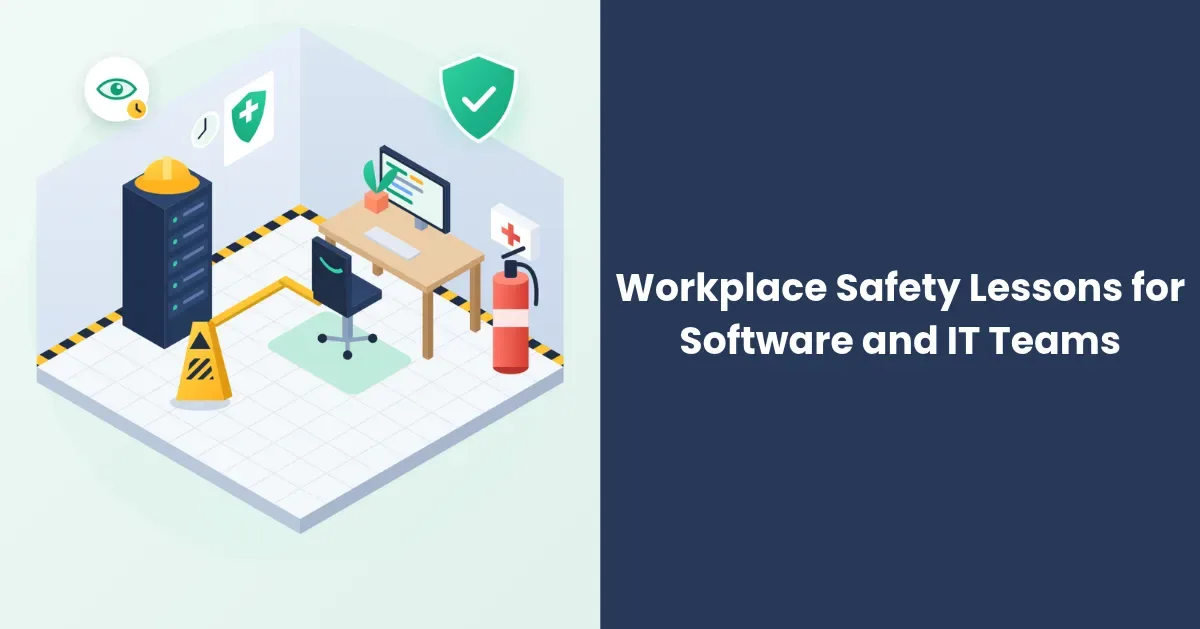
Tech companies obsess over uptime. Redundant servers, failover plans, incident response runbooks, on-call rotations. If production goes down at 3 a.m., everyone knows exactly what to do.
Now ask the same team: what happens if a developer collapses at their desk? Usually, the room goes quiet. There's no runbook for that.
Do Software Offices Really Need First Aid Coverage?
Yes. It's easy to think of tech offices as low-risk. No heavy machinery, no hard hats. But people are people, and medical emergencies don't check job titles.
Cardiac arrest, seizures, diabetic emergencies, allergic reactions and fainting can happen in any office. Kitchens bring burns and cuts. Stairwells bring falls.
In Ontario, workplaces covered by the WSIB must meet first aid requirements under Regulation 1101. That includes having trained first aiders and a properly stocked first aid station. The number of trained people depends on how many employees work per shift.
How Does Hybrid Work Change First Aid Planning?
Hybrid schedules create a tricky gap. You might have three certified first aiders on paper, but if they all work from home on Tuesdays, the office has zero coverage that day.
A few ways to fix it:
Map coverage by day, not just by headcount
Certify extra people so every office day has someone trained
Add first aid coverage to the same calendar you use for in-office days
Share basic safety tips with remote staff, who are on their own at home
Think of it like on-call rotation. Someone has to be "on" for safety too.
What Should a Tech Team's Emergency Runbook Include?
Engineers love a good runbook. So write one for medical emergencies:
Detect: Recognize the emergency. Unresponsive? Not breathing normally?
Alert: One person calls 911. Another tells building security to meet paramedics.
Respond: A trained first aider starts care. Someone grabs the AED.
Escalate: Hand over to paramedics with clear information.
Post-mortem: Review what worked and what didn't. Restock supplies.
Keep it short. Post it near the first aid kit and in your internal wiki.
What Risks Are Unique to IT Environments?
Most office risks are general, but IT teams have a few of their own:
Server rooms with electrical hazards, raised floors and limited access
Heavy equipment like racks, UPS units and monitors that cause lifting injuries
Cable clutter that turns walkways into trip hazards
Long screen sessions that contribute to eye strain, headaches and repetitive strain injuries
For electrical incidents, the rule is simple: never touch someone who might still be in contact with a live current. Shut off the power first, then help.
Why Should Every Office Know Where the AED Is?
In sudden cardiac arrest, survival depends on fast CPR and early defibrillation. An AED analyzes the heart's rhythm and delivers a shock only if needed. It speaks clear instructions, so anyone can use it.
But only if they can find it. Put AEDs in central, well-marked spots. Mention them in onboarding. And make sure building security knows where yours is.
Which Training Fits a Software Team?
For most tech offices, this mix works well:
Intermediate First Aid (formerly Standard First Aid) with CPR Level C for designated first aiders
CPR/AED Level C for anyone else who wants to be ready
Recertification every three years before certificates expire
Blended learning fits tech culture nicely. Staff complete theory online, then attend a shorter skills session. Group training at your office is another option, and it doubles as a team-building day.
How Can Remote and Hybrid Staff Stay Safe at Home?
When employees work from home, the office first aid kit and trained coworkers aren't nearby. A few tips help remote staff stay prepared:
- Keep a basic first aid kit at home, within reach of the workspace
- Set up an ergonomic desk to reduce strain injuries
- Keep cords tidy and away from walkways
- Share a home address and emergency contact with your manager, in case you need help during a video call
- Consider taking a first aid and CPR course, since most emergencies happen at home anyway
Some companies offer first aid training to all staff, not just designated first aiders. It's a low-cost benefit that protects employees and their families.
Remote staff should also know that first aid coverage rules usually apply to the workplace, not the home office. So personal preparedness matters even more for people who work alone most days.
Your Tech Office Safety Checklist
First aid coverage mapped for every in-office day
AED installed, visible and checked monthly
Emergency runbook posted and shared in the wiki
Cables managed and server-room access controlled
Certificate expiry dates tracked like license renewals
If you are looking for first aid training near Yonge and Eglinton, Davisville, Mount Pleasant Road, or other areas close to our facility, then you may reach out to Coast2Coast First Aid/CPR - Midtown Toronto in that area. Courses are WSIB approved, and team leads can arrange Coast2Coast First Aid group training for the whole office.
Frequently Asked Questions
How many first aiders does an Ontario office need?
It depends on the number of workers per shift under Regulation 1101. Larger workplaces need more trained staff and a better-equipped first aid station.
Does remote work count toward first aid coverage?
No. Coverage is about who's physically present. Plan for the people in the office each day.
Can first aid training happen at our office?
Yes. Many providers run on-site group sessions, usually for eight or more people.
How long is a first aid certificate valid?
Canadian Red Cross first aid and CPR certificates are valid for three years.
Should we buy an AED for a small office?
It's not always required, but an AED greatly improves survival in cardiac arrest. Many companies treat it as a best practice.


